Claude Code Auto Mode Default on Bedrock, Vertex & Foundry (v2.1.328)
Claude Code v2.1.328 enables default auto mode for Opus 4.6 and Sonnet 4.6 on Bedrock, Agent Platform, and Foundry. Learn the gate order and disableAutoMode.
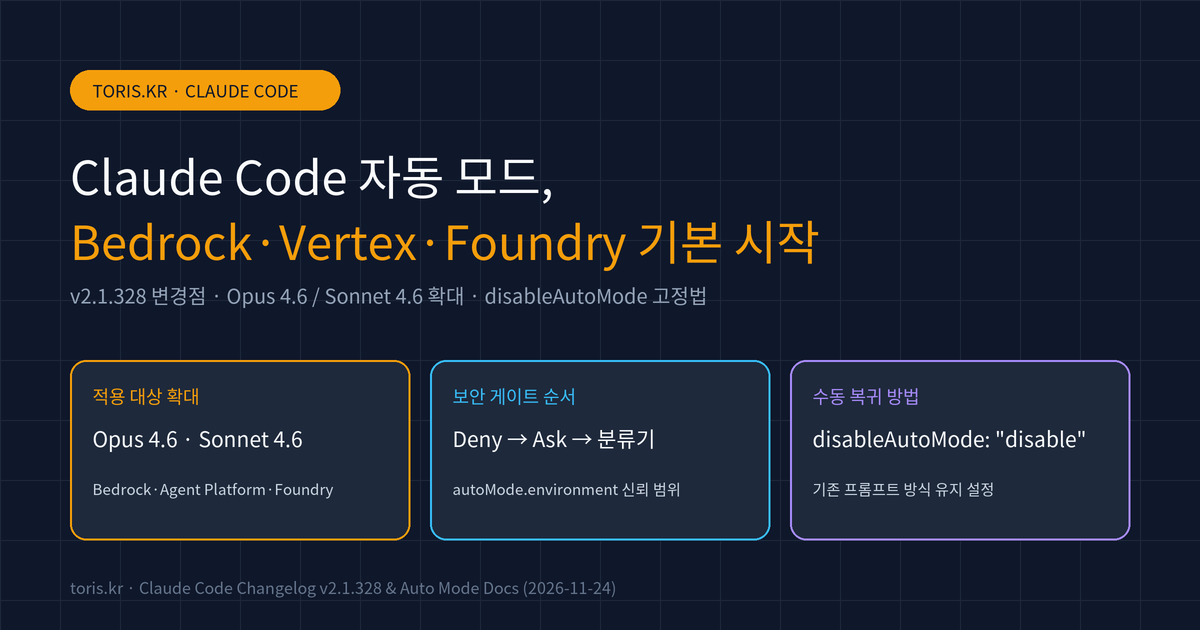
Q. Why does Claude Code now start in auto mode without permission prompts on AWS Bedrock, Google Cloud Agent Platform (Vertex AI), and Microsoft Foundry? Starting with Claude Code
v2.1.328(November 19, 2026), interactive sessions on Claude Opus 4.6 and Sonnet 4.6 across third-party cloud providers default to auto mode when no permission mode is specified. To keep manual prompts by default, setpermissions.defaultModeto"default", or setdisableAutoModeto"disable"to turn auto mode off completely.
⚠️ Accuracy guardrail: This guide was verified on November 24, 2026 against the official Claude Code changelog (
v2.1.328–v2.1.330) and official configuration references (auto-mode-config,permission-modes,settings-reference). Some sections ofpermission-modesstill mention older model floors (Sonnet 5 / Opus 4.7 or later), reflecting a documentation lag behind thev2.1.328rollout for Opus 4.6 and Sonnet 4.6. Organization gateways may also enforce additional restrictions on variables such asCLAUDE_CODE_AUTO_MODE_MODEL.
30-second summary
- What changed in v2.1.328: Since November 19, 2026, interactive terminal and VS Code sessions using Opus 4.6 and Sonnet 4.6 on Amazon Bedrock, Google Cloud Agent Platform, Microsoft Foundry, and Claude apps gateway start in auto mode by default.
- Three-gate evaluation order: Auto mode still enforces
permissions.deny→permissions.ask→ Auto Mode Classifier in strict sequence. - Where config is read: The classifier ignores
autoModeblocks inside repo-level.claude/settings.jsonor.claude/settings.local.json. Place personal rules in~/.claude/settings.jsonand org-wide rules in Managed settings. - How to stay manual: Use
"permissions": {"defaultMode": "default"}to start in manual mode while keepingShift+Tabswitching, or"disableAutoMode": "disable"to remove auto mode entirely.
1. What changed for third-party cloud providers in v2.1.328?
The key shift in Claude Code v2.1.328 is bringing Opus 4.6 and Sonnet 4.6 on third-party enterprise providers into the default auto-mode experience. Previously, automatic entry was prioritized for direct Anthropic API and subscription users or newer model generations; now Bedrock, Agent Platform, and Foundry interactive sessions behave the same way out of the box.
Plan mode and Bash prompts on third-party providers were also updated to offer and use auto mode for Opus 4.6 and Sonnet 4.6, alongside a fix for sessions failing every turn behind gateways with CLAUDE_CODE_DISABLE_EXPERIMENTAL_BETAS set. Non-interactive runs via claude -p and the Agent SDK continue to start in default (manual) mode.
| Aspect | Before v2.1.328 (3P providers) | From v2.1.328 (Nov 19, 2026~) |
|---|---|---|
| Target providers | Direct Anthropic API & subscriptions first | Amazon Bedrock · Agent Platform · Microsoft Foundry · Apps Gateway |
| Opus 4.6 / Sonnet 4.6 | Manual mode or tighter model gate | Auto mode by default in interactive sessions |
| Plan / Bash prompts | Legacy permission prompts | Offers auto mode (disableAutoMode turns it off) |
claude -p / Agent SDK |
Starts in default mode |
Remains default mode |
2. What does the auto mode classifier trust and block?
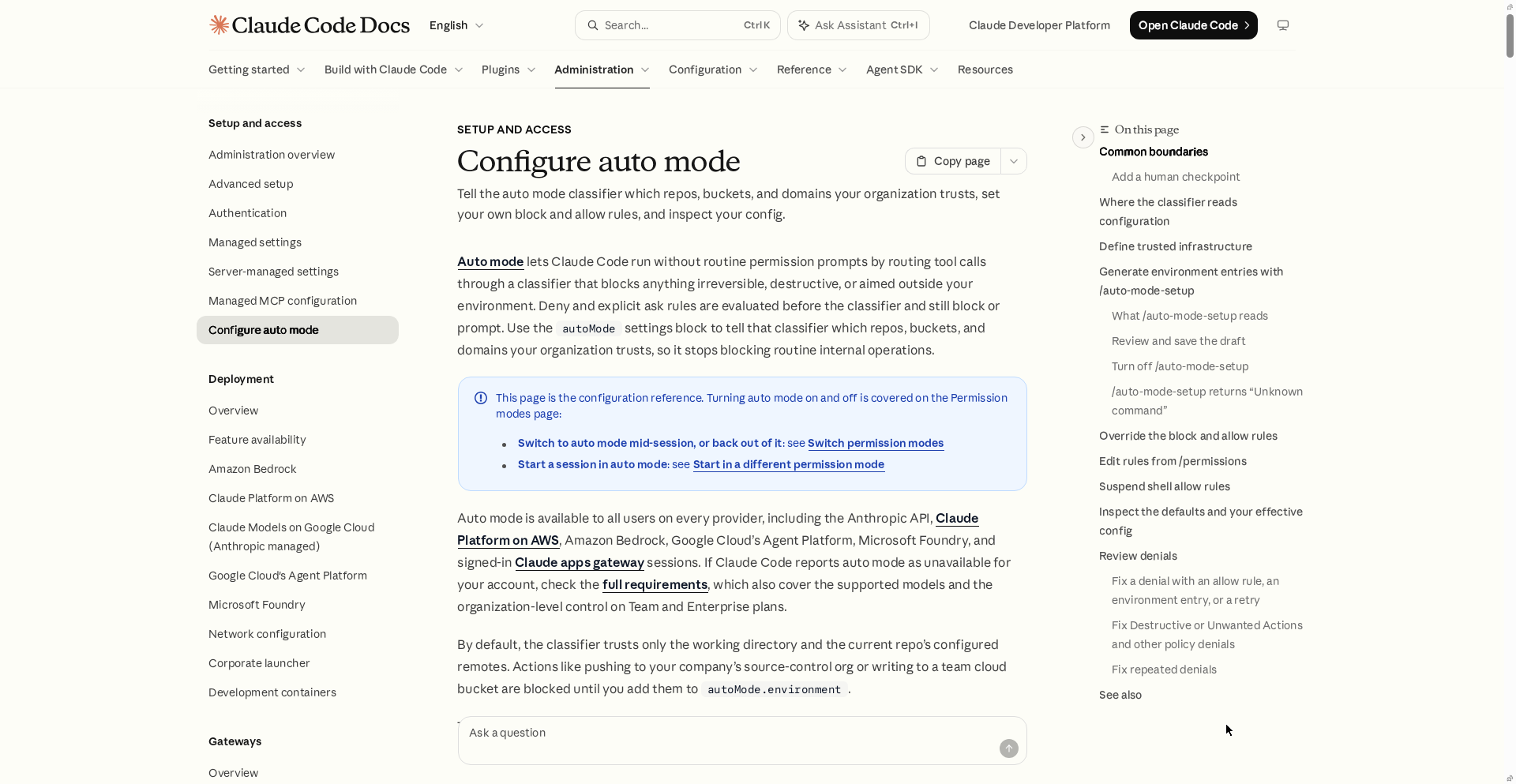
By default, the auto mode classifier trusts only your current working directory and the configured remotes of the current Git repository. Pushing to another repo in your company's GitHub org, writing to a shared S3/GCS bucket, or reaching an unregistered internal registry can be blocked as potential exfiltration until declared in autoMode.environment.
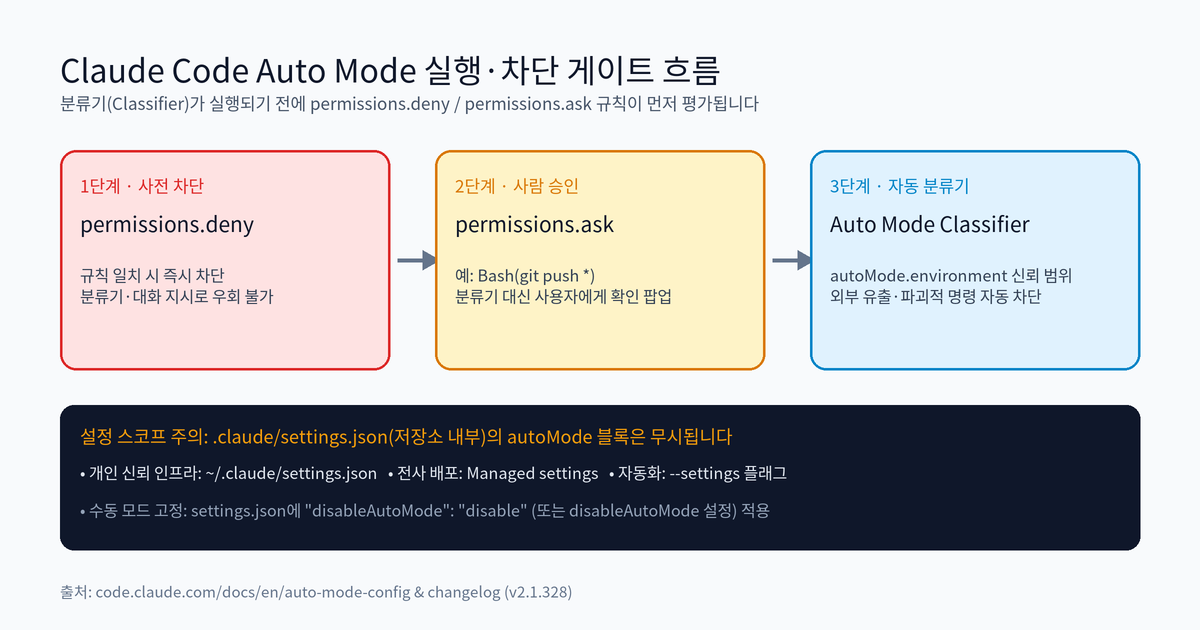
Crucially, permissions.deny and permissions.ask are evaluated before the classifier runs. A matching deny rule blocks unconditionally, and a matching ask rule always forces a human confirmation prompt that the classifier cannot bypass.
Q. Can I commit an
autoModeblock into.claude/settings.jsoninside my repository for the whole team? No. For security reasons, the classifier never readsautoModefrom.claude/settings.jsonor.claude/settings.local.json, preventing checked-in repos or build scripts from injecting allow rules. Store personal infrastructure in~/.claude/settings.jsonand distribute team rules via Managed settings.
3. Practical autoMode.environment and human checkpoint config
For most teams, declaring trusted infrastructure in plain English inside autoMode.environment eliminates false positives without touching hard_deny or soft_deny. Always keep "$defaults" at the top of the array so built-in safety rules remain intact.
{
  "permissions": {
    "ask": [
      "Bash(git push *)",
      "Bash(gh pr create *)"
    ]
  },
  "autoMode": {
    "environment": [
      "$defaults",
      "Source control: github.com/acme-org and all repositories under it",
      "Trusted cloud buckets: s3://acme-dev-artifacts, gs://acme-staging-data",
      "Trusted internal domains: *.internal.acme.com"
    ]
  }
}
Adding Bash(git push *) and Bash(gh pr create *) to permissions.ask keeps local edits and test runs prompt-free while preserving a human checkpoint before code leaves your machine. When a command is blocked mid-session, open /permissions → Recently blocked to inspect the raw input, press r to retry, or add an exception in the Auto mode tab. If you also run Claude Code Code Mode, remember the classifier evaluates each generated script as a whole, so permissions.deny remains essential for blocking specific tool calls.

4. Two ways to lock sessions back to manual mode
If your security policy or cost controls require manual approvals, choose between two distinct settings. To start every session in manual mode while still allowing Shift+Tab switching, set permissions.defaultMode to "default".
To disable auto mode completely across a machine or organization, set "disableAutoMode": "disable". This removes auto mode from the Shift+Tab cycle and forces even --permission-mode auto invocations to fall back to manual mode.
{
  "disableAutoMode": "disable"
}
Toris's take
For solo developers and small teams running Bedrock, Vertex, or Foundry, leaving v2.1.328 auto mode enabled while gating git push and gh pr create via permissions.ask hits the sweet spot. You avoid repetitive prompt fatigue on local tests while keeping a firm human checkpoint on external side effects.
However, on machines holding production credentials or direct deploy scripts, start by locking "disableAutoMode": "disable" in ~/.claude/settings.json or Managed settings, audit your infrastructure with /auto-mode-setup, and roll out auto mode gradually. For broader team workflow comparisons, see ChatGPT Space vs Projects and Toris Studio Services.
Sources
Advertisement