Google Workspace MCP & Official CLI (gwscli) GA: 2027 Enforcement & Tiers
Google launched Workspace MCP servers and gwscli on Nov 24, 2026. Learn the differences, the Feb 2027 MCP mandate for AI agents, and Apr 2027 Scaled tier billing.
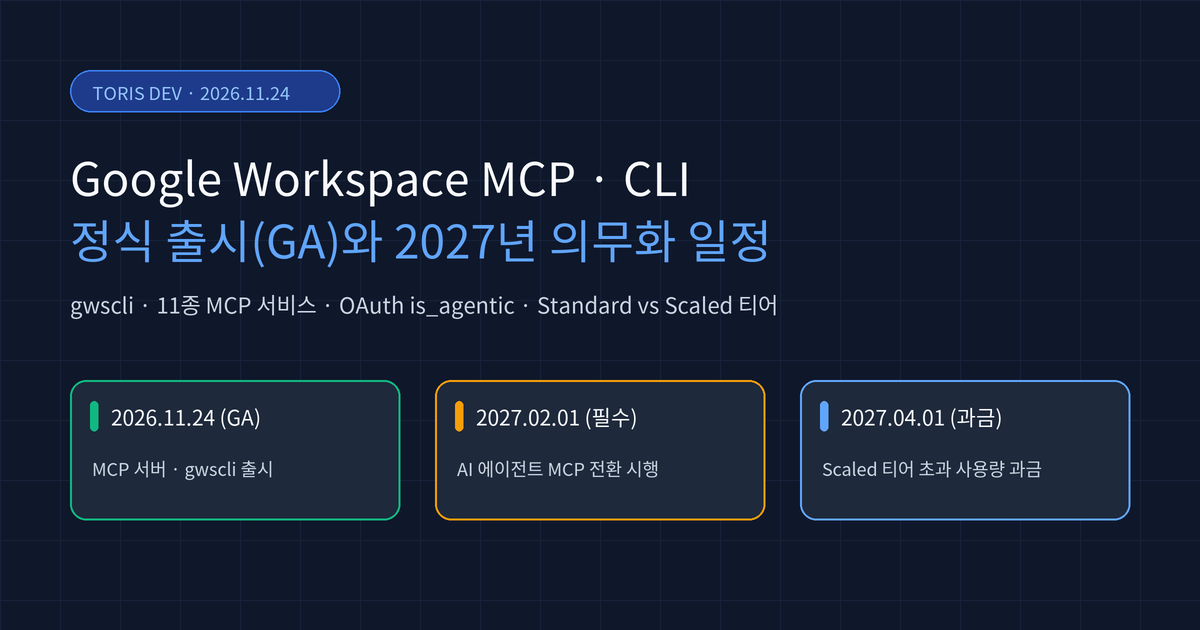
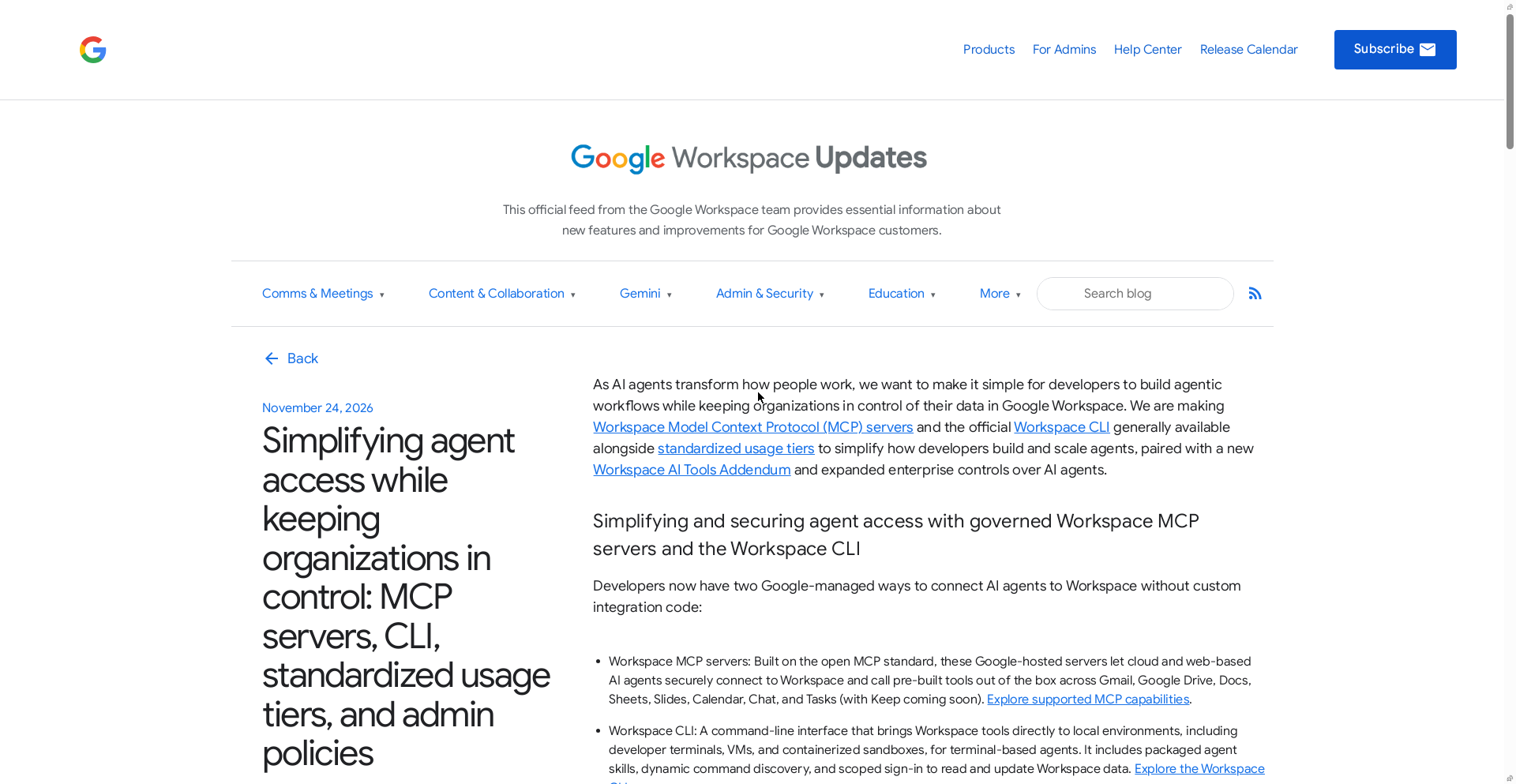
Q. With the GA release of Google Workspace MCP servers and the official CLI (
gwscli), what must change for AI agents currently using Workspace REST APIs? On November 24, 2026, Google made hosted Workspace MCP servers andgwscligenerally available. Starting February 1, 2027, technical enforcement begins requiring AI agents to use MCP instead of calling Workspace REST APIs directly, so developers should separate agent OAuth clients (is_agentic) and plan their migration to MCP orgwscli.
⚠️ Accuracy guardrail: This article was written on November 25, 2026, after directly inspecting the official Google Workspace Updates announcement (2026-11-24) and the Google for Developers MCP and CLI documentation. Rollout across Rapid and Scheduled Release domains takes place over two weeks, and exact daily free allowances and per-call overage rates for the Scaled tier should be checked on the Google Cloud pricing documentation.
30-second summary
- Two Google-managed agent paths (GA): Google-hosted Workspace MCP servers for cloud and web-based agents, plus the official Workspace CLI (
gwscli) for terminals, VMs, and containerized sandboxes. - MCP enforcement on February 1, 2027: AI agents and similar access tools must switch from direct Workspace REST API calls to MCP, and OAuth 2.0 clients used by agents must enable
Use this client for an AI-powered agent (is_agentic)in the Google Cloud console. - Standard vs. Scaled tiers: Over 99% of active developers stay within the free Standard tier, while external projects needing higher quotas move to the Scaled tier with overage billing starting April 1, 2027 (internal-only Workspace projects can be marked
internalby an admin to remain included in the Workspace subscription). - Built-in governance: Admins gain centralized controls under
Security > API Controls, human-in-the-loop (HITL) confirmations for sensitive actions, automatic DLP enforcement, audit logs, and the new Workspace AI Tools Addendum prohibiting extended data retention and API scraping.
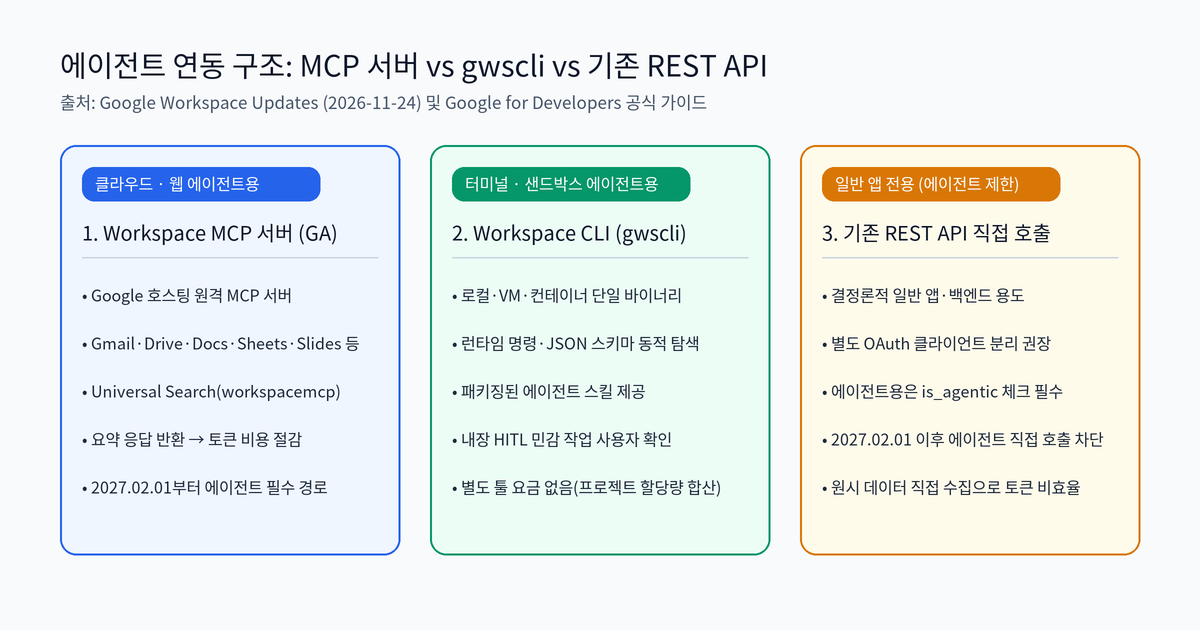
Why did Google launch dedicated MCP servers and a CLI alongside REST APIs?
Traditional REST APIs are built for deterministic app calls, not dynamic agent workflows where raw payloads inflate token costs and complicate security reviews.
In a classic REST integration, an application fetches raw data line by line and processes it client-side. When an LLM agent pulls full email threads or documents this way, context windows fill up quickly and token bills spike. Google notes that hosted MCP tools return synthesized summaries inside Workspace's security boundary, while gwscli lets terminal agents chain commands locally—cutting both token consumption and latency.
Because Google manages both the servers and tool schemas, agents that discover schemas at runtime automatically inherit improvements to context retrieval and credential handling without custom SDK updates. As seen in our recent Canva MCP GA, REST API, and CLI guide, major SaaS platforms are rapidly converging on a dual MCP-plus-CLI entry point for AI agents.
Workspace MCP servers vs. gwscli: How do they differ?
Use the hosted Workspace MCP servers (*mcp.googleapis.com) for cloud and web agents, and gwscli for terminal, VM, or sandboxed coding agents.
| Aspect | Workspace MCP servers (GA) | Workspace CLI (gwscli, GA) |
|---|---|---|
| Target environment | Cloud and web AI agents (Antigravity, Claude, etc.) | Developer terminals, VMs, and containerized sandboxes |
| Integration | Google-hosted remote MCP (Streamable HTTP) |
Single binary (~/.local/bin/gwscli) with runtime schema discovery |
| Supported apps | Gmail, Drive, Docs, Sheets, Slides, Calendar, Chat, Tasks, People, Classroom + Universal Search (workspacemcp.googleapis.com, Keep coming soon) |
Calendar, Chat, Docs, Drive, Gmail, People (Preview), Sheets, Slides, Tasks |
| Agent features | Pre-built per-app tools plus unified Universal Search |
Packaged agent skills (SKILL.md), structured JSON output, built-in HITL |
| Caveats | Chat write actions require configuring a Chat app | Dynamic command signatures may change without backward compatibility; avoid hardcoding in static scripts |
For personal use or quick prototyping, Google Cloud Console's Personal mode onboarding creates an is_agentic OAuth 2.0 client (Web, Desktop, Android, or iOS) without full app verification. Redirect URIs for Antigravity (https://antigravity.google/oauth-callback) and Claude (https://claude.ai/api/mcp/auth_callback) are documented directly in the setup guide.
Installing gwscli and how runtime discovery works
After installing the prebuilt binary and authenticating, terminal agents dynamically inspect available commands and JSON schemas at runtime.
# Quick install on Linux / macOS (~/.local/bin/gwscli)
curl -fsSL https://dl.google.com/workspace-cli/install.sh | bash

# Enable required APIs and MCP services with gcloud
gcloud services enable gmail.googleapis.com gmailmcp.googleapis.com \
  drive.googleapis.com drivemcp.googleapis.com \
  calendar-json.googleapis.com calendarmcp.googleapis.com \
  --project=PROJECT_ID
Using gwscli carries no separate tool fee—calls simply count against your Google Cloud project's Workspace usage tier and quotas. However, Google explicitly warns against relying on fixed command signatures in static shell scripts because dynamic discovery interfaces and JSON schemas can evolve without backward compatibility. It pairs naturally with terminal-first coding agents such as OpenAI Agents SDK v1.0.0-alpha.1.
2027 enforcement timeline and migration checklist
Mark February 1, 2027 (MCP enforcement for agents) and April 1, 2027 (Scaled tier billing) on your roadmap now.
| Date | Change | Impact if no action is taken |
|---|---|---|
| Nov 24, 2026 | MCP servers & gwscli GA, Standard/Scaled tiers launch (Gmail, Drive, Calendar first; 2-week rollout) |
— |
| Feb 1, 2027 | Technical enforcement of MCP requirement for AI agents | Direct REST API calls from AI agents risk being blocked |
| Apr 1, 2027 | Scaled tier overage billing begins | Existing high-quota projects automatically revert to free Standard tier limits |
| Through Dec 2027 | Workspace APIs excluded from Google Cloud Support variable fee calculation (at least until Dec 2027, with 90-day notice) | — |
Developers have three concrete steps to check today. First, separate agent workflows from traditional deterministic backend code by creating a dedicated OAuth 2.0 client with is_agentic enabled. Second, inspect the new Workspace API usage developer dashboard—if all projects stay within Standard tier limits, no billing change is needed. Third, if an organization-only internal agent exceeds Standard limits, ask your Workspace admin to mark the project as internal rather than attaching a Cloud Billing account.
Governance and the Workspace AI Tools Addendum
The new Workspace AI Tools Addendum explicitly bans extended retention of derived API data and using AI agents to scrape Workspace APIs.
Previously, once a user granted OAuth consent, it was difficult for admins to tell whether traffic came from a standard integration or an autonomous agent. Requiring is_agentic OAuth clients and MCP routing lets admins manage AI agents under Admin Console → Security → API Controls just like regular apps. Routine actions such as creating drafts stay frictionless, while sensitive reads or external sharing can trigger HITL confirmation prompts, alongside automatic user-level DLP rules and admin audit logs.
Toris's take
For solo developers and small SaaS teams, there is no rush to opt into the Scaled tier—but separating your is_agentic OAuth client and migrating agent workflows to MCP or gwscli in Q1 is well worth doing early.
If you currently run internal automation bots or personal assistant pipelines hitting Gmail, Drive, or Calendar REST endpoints directly, leaving them untouched risks a hard break on February 1, 2027. Move cloud-hosted agents onto Google's managed MCP servers, switch local or VPS terminal scripts to gwscli, and keep your deterministic web app backend on its own non-agent OAuth client.
Sources
- Google Workspace Updates — Simplifying agent access while keeping organizations in control: MCP servers, CLI, standardized usage tiers, and admin policies (2026-11-24)
- Google for Developers — Configure the Google Workspace MCP servers
- Google for Developers — Use the Google Workspace command-line interface (CLI)
Advertisement